Scanned pages for a website or online form
Office scanners and archive digitization often produce TIFF, and Chrome cannot display it. As PNG, a page of small print stays as sharp as the scan, without the fuzzy halo that JPG leaves around letters.
PixVibe's TIFF to PNG converter turns scans, faxes and print files into PNG, a format any browser or phone can open, and it handles .tif files the same way. Drop the file on the page and each page of a multi-page TIFF becomes its own PNG, with a cap of 100 pages per file on computers and 30 on phones; nothing is uploaded. For ordinary 8-bit color and grayscale TIFFs and 1-bit black-and-white ones, the PNG has exactly the same pixels: that held in our tests in Chromium 149 for uncompressed, LZW, Deflate, PackBits, Group 3, Group 4 and tiled files. Some things do not carry over: 16 bits per channel (the PNG gets 8), the DPI value and other TIFF tags such as EXIF, CMYK color management, the shape of fax pages with unequal resolutions, the color hidden under fully transparent pixels, and the colors of one rare kind of JPEG-compressed TIFF. Each is explained below, along with when TIFF to JPG is the better choice.
Pages are split out as separate images, numbered -p001, -p002 and so on, and “Download ZIP” saves them together. Reduced-size preview images stored inside the TIFF are skipped, so they never turn up as extra pages.
We saved the same photo, screenshot, gray scan and black-and-white page uncompressed and with each lossless compression that suits it: LZW, Deflate and PackBits, plus Group 3 and Group 4 for the black-and-white page. Every PNG matched its TIFF pixel for pixel, and all versions of one page gave the same PNG, down to the byte.
Fast saves every page as a full-color PNG with an alpha channel. Compact keeps the same pixels but stores gray pages as grayscale and black-and-white pages with one bit per pixel, and drops an alpha channel nobody needs: our gray scan went from 506 KB to 173 KB.
A single TIFF, with all its pages, converts without signing in. Signed in to a free account, “Convert all” handles as many as 20 files at a time.
| Test page | TIFF, no compression | Best lossless TIFF | PNG on Compact |
|---|---|---|---|
| Photo | 5.12 MB | 4.55 MB (Deflate) | 2.72 MB |
| Screenshot | 4.80 MB | 394 KB (Deflate) | 341 KB |
| Gray document scan | 2.18 MB | 205 KB (Deflate) | 173 KB |
| Black-and-white page, 200 dpi | 475 KB | 7.3 KB (Group 4) | 10.1 KB |
Office scanners and archive digitization often produce TIFF, and Chrome cannot display it. As PNG, a page of small print stays as sharp as the scan, without the fuzzy halo that JPG leaves around letters.
Fax software and document scanners can put a whole stack of pages into one .tif file, usually with Group 3 or Group 4 compression; both converted correctly in our tests. You get one PNG per page, ready to attach, crop or drop into a slide.
Logos, cut-outs and illustrations saved as TIFF can keep their transparent background as PNG for a website or presentation, which a JPG cannot do. Print files saved in CMYK or with premultiplied alpha change color or get darker edges, as explained below.
Pick it, or drag it onto the upload area. The settings default to PNG output, the Fast mode and “Reduce colors” set to Lossless (no color reduction), and every page, up to the cap of 100 per file (30 on phones), is converted automatically.
Compact gives the same pixels in fewer bytes; press “Convert all again” to apply it to every page. If the preview shows a green-and-pink cast, the file is a JPEG-compressed TIFF with RGB color: re-save it with LZW or Deflate and convert that copy.
Download one page, or use “Download ZIP” to get every page in a single archive.
One for each page. In PixVibe's converter, our six-page fax came out as six PNGs labeled Page 1/6 to Page 6/6 and saved as name-p001.png to name-p006.png; “Download ZIP” put all six in one archive. In a four-page file mixing a color photo, a gray scan, a transparent logo and a black-and-white page, each PNG kept that page's own size and type, with the same pixels as the TIFF.
A TIFF can hold more than pages. The Library of Congress description of TIFF 6.0 (fdd000022, read 18 November 2026) notes that “There is no limit to the number of subfiles a TIFF image file may contain.” Some of those subfiles are small preview copies. The converter skips any image marked as a reduced-resolution preview, so it never becomes a PNG of its own: our scan held three images (two pages and a 200 × 133 preview) and gave two PNGs.
The converter does set a page limit of its own: 100 pages per TIFF on computers, 30 on phones. With our 130-page test file it added pages 1–100 in desktop Chromium and showed “this TIFF has 130 pages; only the first 100 were added”; in Chromium's iPhone emulation the same note said 30. We have not tested Safari on a real iPhone. If you would rather keep the pages together as one document, TIFF to PDF makes a single PDF instead.
For ordinary 8-bit color and grayscale pages and 1-bit black-and-white pages, no: in our tests in Chromium 149 the PNG had the same pixels as the TIFF. These kinds of information do change.
Bit depth. A 16-bit grayscale ramp with 4,096 distinct gray levels came out as an 8-bit PNG with 256; each value kept its top 8 bits. A 48-bit color TIFF became 24-bit in the same way. That is a limit of PixVibe's converter, not of PNG: Table 12 of the PNG specification (W3C, third edition, 2025) lists 16 among the allowed bit depths for grayscale and for truecolor images. For microscopy, astronomy or print masters that rely on 16-bit data, keep the TIFF.
Resolution and stretched faxes. The PNG gets no DPI value, so a 300 dpi scan opens at whatever size your software assumes. PNG has a place for it, the pHYs chunk, which the same specification says “specifies the intended pixel size or aspect ratio for display of the image”; the converter does not write it. Fax pages with different horizontal and vertical resolutions are stretched to square pixels: a standard-mode 204 × 98 dpi page of 1728 × 1100 pixels became 1728 × 2290, and a fine-mode 204 × 196 dpi page grew from 2200 to 2290 rows. Stretching smooths the edges, so about 0.5% of the pixels on those fax pages turned gray. A black-and-white page with equal resolutions, such as our 200 dpi page, is not stretched.
CMYK. A CMYK page is converted to RGB with a simple formula, without the file's color profile. Colors of a press-ready CMYK file can look different from how Photoshop or a RIP shows them.
Tags. Scanner details, EXIF data and other TIFF tags are left out; the PNGs contain only the image.
Transparency and one kind of JPEG-compressed TIFF also change; both are covered in the next two sections.
Yes for the alpha channel itself, with two caveats. Our 256 × 256 test TIFF used unassociated alpha, the usual kind, with values running from 0 to 255. In the PNG, every alpha value matched and no fully opaque pixel changed color. Fully transparent pixels came out black, and semi-transparent pixels shifted in color, a little or a lot depending on opacity: on the 0–255 scale, colors with alpha from 128 up moved by 1 at most, and colors with alpha 1 by up to 127. The browser canvas causes this: the HTML standard requires it to store color premultiplied by alpha. With ordinary transparency, nothing visible changes. We measured this in Chromium 149; other browsers may round differently.
Some programs save associated (premultiplied) alpha instead. PixVibe's converter reads that kind as if it were unassociated, so semi-transparent edges come out darker: at alpha 128 our pixels lost half their brightness. Soft shadows and anti-aliased edges are where this shows.
In our tests in Chromium 149, PixVibe's converter handled uncompressed, LZW, Deflate, PackBits, CCITT Group 3, CCITT Group 4 and tiled files correctly, as well as JPEG-compressed TIFFs stored in YCbCr, the way most JPEG TIFFs are saved.
Converted, but with wrong colors: JPEG-compressed TIFFs whose colors are stored as RGB instead of YCbCr. Both of our test files, one made with libtiff and one with Pillow, came out green and pink with no error message, in the preview as well as the PNG. Re-save such a file from the application that created it, using LZW or Deflate, and convert the new copy.
Could not be read: ZSTD and WebP compression inside a TIFF, BigTIFF files, and a single-page TIFF cut off halfway. For each, the converter reported “Couldn't read this image”. Other compressions, such as JPEG 2000 or JBIG, were not tested.
Cut short without a warning: our six-page fax with its last 40% removed gave three complete pages, labeled Page 1/3 to Page 3/3. If a file may be damaged, check that the page count matches.
Always smaller than an uncompressed TIFF in our tests, and on Compact smaller than the best lossless TIFF for three of our four test pages; black and white was the exception. An uncompressed TIFF stores every pixel in full, so a 1600 × 1000 screenshot takes 4.80 MB; the same screenshot is 394 KB with Deflate inside the TIFF and 341 KB as a PNG on Compact (1 KB = 1,000 bytes, 1 MB = 1,000,000 bytes). The four test pages in the table measure 1600 × 1067 pixels (photo), 1600 × 1000 (screenshot), 1240 × 1754 (gray scan) and 1728 × 2200 (black-and-white page). Every lossless version of one page gave the same PNG, so the PNG size depends on the picture, not on how the TIFF was compressed.
Fast trades file size for speed. It saved our screenshot at 675 KB and the gray scan at 506 KB, both larger than their Deflate TIFFs, because every page is written as full color with an alpha channel. Compact turned those into 341 KB and 173 KB with identical pixels.
Black and white is where TIFF wins. Group 4, the usual fax compression, packed our 1728 × 2200 page into 7.3 KB; Group 3 took 23.2 KB, and the PNG was 10.1 KB on Compact and 114 KB on Fast. A fine-mode fax page, stretched as described above, gained gray edge pixels and came to 24.9 KB on Compact. For an archive of fax pages, the TIFF is the smaller copy.
“Reduce colors” goes further but is lossy: at 256 colors our photo dropped from 2.72 MB to 1.09 MB, and 99.85% of its pixels changed slightly. For photos where a small file matters more than exact pixels, TIFF to JPG goes much further, without transparency.
Open PixVibe's TIFF to PNG page and drop the .tif or .tiff file onto it. PNG is preselected, and every page, within the 100-page cap per file (30 on phones), is converted automatically; save the pages individually or as one ZIP.
Let an AI agent edit images with PixVibe: one link per job, no API key. We tested Claude, Codex and ChatGPT agent, and show what to check.
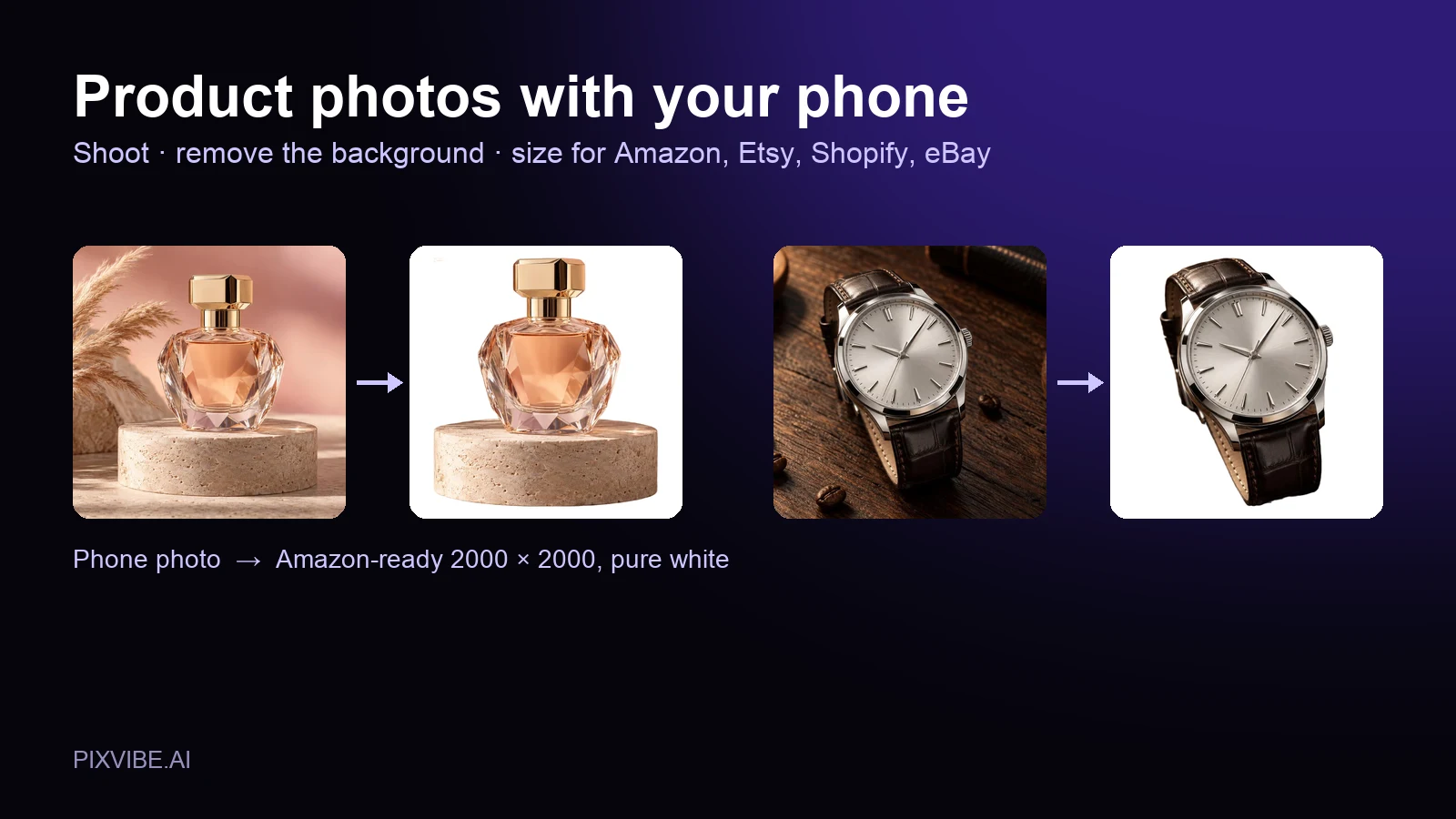
Shoot product photos on a phone, remove the background, and size them for Amazon, Etsy, Shopify and eBay. Official rules in one table.
Free · In-browser processing
 Remove BackgroundMake any image transparent — free PNG.
 Image ConverterHEIC to JPG, WebP to PNG, JPG to WebP & more.
 PDF to ImageTurn PDF pages into JPG, PNG or WebP images — pick pages and DPI.
 Image to PDFCombine JPG, PNG or HEIC photos into one PDF — A4, Letter or fit.
 Compress PDFShrink scanned and image-heavy PDFs, keep selectable text, or hit a target size in KB.
 Passport PhotoFrame your face to passport, visa or ID sizes, change the background and print several on one sheet.
 Compress ImageReduce image size, keep the quality.
 Resize ImageResize for YouTube thumbnails & any size.
 Crop ImageCrop and reframe with precision.
 AI UpscalerAI upscale image resolution up to 4×.
Free · In-browser processing
Server AI · Uses credits