Home

Pricing

Blog

Free image tools

Free · In-browser processing

Remove BackgroundTransparent PNG in seconds.Image ConverterSwitch between image formats.PDF to ImageTurn PDF pages into JPG, PNG and more.Image to PDFCombine images into one PDF.Compress PDFMake a PDF smaller, down to a target size.Passport PhotoPassport and ID photos in the right size, ready to print.Compress ImageSmaller files, crisp images.Resize ImageExact sizes for any platform.Crop ImageFrame your image just right.AI UpscalerEnlarge images up to 4×.

Free video tools

Free · In-browser processing

Compress VideoShrink a video to a set file size, in your browser.

Pro tools

Server AI · Uses credits

AI Background Remover HDPrecise hair and fine edges.HD Image ConverterUpscale and convert in HD.AI Image EnhancerEnhance detail with advanced AI.
View all tools
PixVibe
Home

Free image tools

Free · In-browser processing

Remove BackgroundTransparent PNG in seconds.Image ConverterSwitch between image formats.PDF to ImageTurn PDF pages into JPG, PNG and more.Image to PDFCombine images into one PDF.Compress PDFMake a PDF smaller, down to a target size.Passport PhotoPassport and ID photos in the right size, ready to print.Compress ImageSmaller files, crisp images.Resize ImageExact sizes for any platform.Crop ImageFrame your image just right.AI UpscalerEnlarge images up to 4×.

Free video tools

Free · In-browser processing

Compress VideoShrink a video to a set file size, in your browser.

Pro tools

Server AI · Uses credits

AI Background Remover HDPrecise hair and fine edges.HD Image ConverterUpscale and convert in HD.AI Image EnhancerEnhance detail with advanced AI.
View all tools
PricingBlog
PixVibe

Free AI image tools — remove backgrounds, convert, compress, resize & upscale in seconds.

Product

Remove BackgroundImage ConverterPDF to ImageImage to PDFCompress PDFPassport PhotoCompress ImageResize ImageCrop ImageAI UpscalerCompress VideoPricing

Pro tools

AI Background Remover HDHD Image ConverterAI Image Enhancer

Resources

ToolsBlogFor AI agentsHow we keep files localAI Font Prompts

Legal

Terms of ServicePrivacy PolicyLegalThird-party licensesContact

© 2026 PixVibe. All rights reserved.A Funovate Technology product

Notifications

No notifications yet

We'll let you know when something important happens.

Cloud AI · uses creditsPrint›Amazon›Old & low-res photos›Online sellers›

AI image enhancer: upscale to 4K / UHDPRO

Increase image resolution and rebuild detail with server-side AI. Choose Real-ESRGAN for a faithful enlargement, or a generative model to re-render texture, lighting and sharpness up to 4K / UHD. One image, several models, compare side by side.

Note: this feature uploads your image to our servers and processes it with a third-party AI service (deleted from our servers within 24 hours). It uses credits.

Go to the upscaler
MODELS

7 ways to upscale, pick by image

Use pixel-faithful upscaling when the image must stay exactly as it is; use regenerative enhancement when you want richer rebuilt detail. Each option lists its maximum output and starting price; the exact price for a chosen spec is shown once selected.

Real-ESRGAN

Pixel-faithful

Up to 4×. Enlarges without redrawing and cleans up blur, noise and compression artifacts; content stays true to the original.

20 credits

Seedream 5.0 Lite

Regenerative

Up to 4K. Strong single-image editing. Faces and text may change.

From 65 credits

Seedream 5.0 Pro

Regenerative

Up to 2K. The high-quality line, with more realistic lighting, materials and skin texture; suited to portraits and products. Faces and text may change.

From 80 credits

GPT-Image-2

Regenerative

Up to UHD. Keeps faces and text stable, with adjustable quality. Details may still change.

3 quality levelsFrom 42 credits

GPT-Image-2.5 Flare

Regenerative

Up to UHD. OpenAI's fastest high-quality model, close to GPT-Image-2 in quality. Details may still change.

5 quality levelsFrom 37 credits

GPT-Image-2.5 Sunburst

Regenerative

Up to UHD. OpenAI's highest-quality, most precise editor; slower. Details may still change.

5 quality levelsFrom 37 credits

Gemini 3.1 Flash

Regenerative

Up to 4K. Fast, with reliable text rendering; fixed aspect ratios only. Faces and text may change.

From 120 credits
WHY USE IT

Features

7 models, one upload

Run Real-ESRGAN and generative models on the same image and compare the results side by side.

Up to 4K / UHD output

Go beyond 2× / 4×: regenerative models output up to 4K / UHD depending on the model.

Faithful or regenerative

Keep every pixel where it is, or let a generative model rebuild richer detail. The choice is per image.

Clear per-image pricing

Every model shows its starting price; the exact credit cost updates as you pick resolution and quality.

WHAT IT'S FOR

Use cases

Print-ready enlargements

Turn a small photo into a 4K / UHD file with enough detail for posters and large prints.

Product and listing photos

Sharpen small supplier images into crisp, high-resolution shots for your store.

Old or low-res photos

Rebuild texture and edges in scans and phone photos from years ago.

HOW IT WORKS

How to enhance an image with AI

01

Upload an image

Drop a JPG, PNG, WebP, HEIC, AVIF, TIFF, BMP, or TGA here, or arrive from the free upscaler with your image already loaded.

02

Pick one or more models

Select Real-ESRGAN for a faithful upscale, or any generative model and choose its resolution and quality.

03

Compare and download

Results appear as separate cards next to the original. Download the one you like, in JPG, WebP, or PNG.

FAQ

Frequently asked questions

Real-ESRGAN upscales pixel by pixel and never changes content, so photos, screenshots and line art stay true to the original. Generative models (Seedream, GPT-Image, Gemini) re-render the image with richer detail; small details, text and faces may change.
Real-ESRGAN outputs 2× / 4× the input. Generative models output up to 4K / UHD depending on the model; the maximum for each is listed on its card.

Per image, per model. Each card shows its starting price; the exact amount for the resolution and quality you choose is shown before you start. Nothing is charged if a job fails.

Results from Gemini 3.1 Flash carry Google's SynthID, an invisible digital watermark, plus C2PA Content Credentials that identify the image as AI-generated. It is not visible and does not change how the image looks. We add no watermark of our own.

Images are uploaded only so the model can process them. Results are shown to you for download and are not published or used to train models. Uploaded images and results are deleted automatically within 24 hours.

Related articles

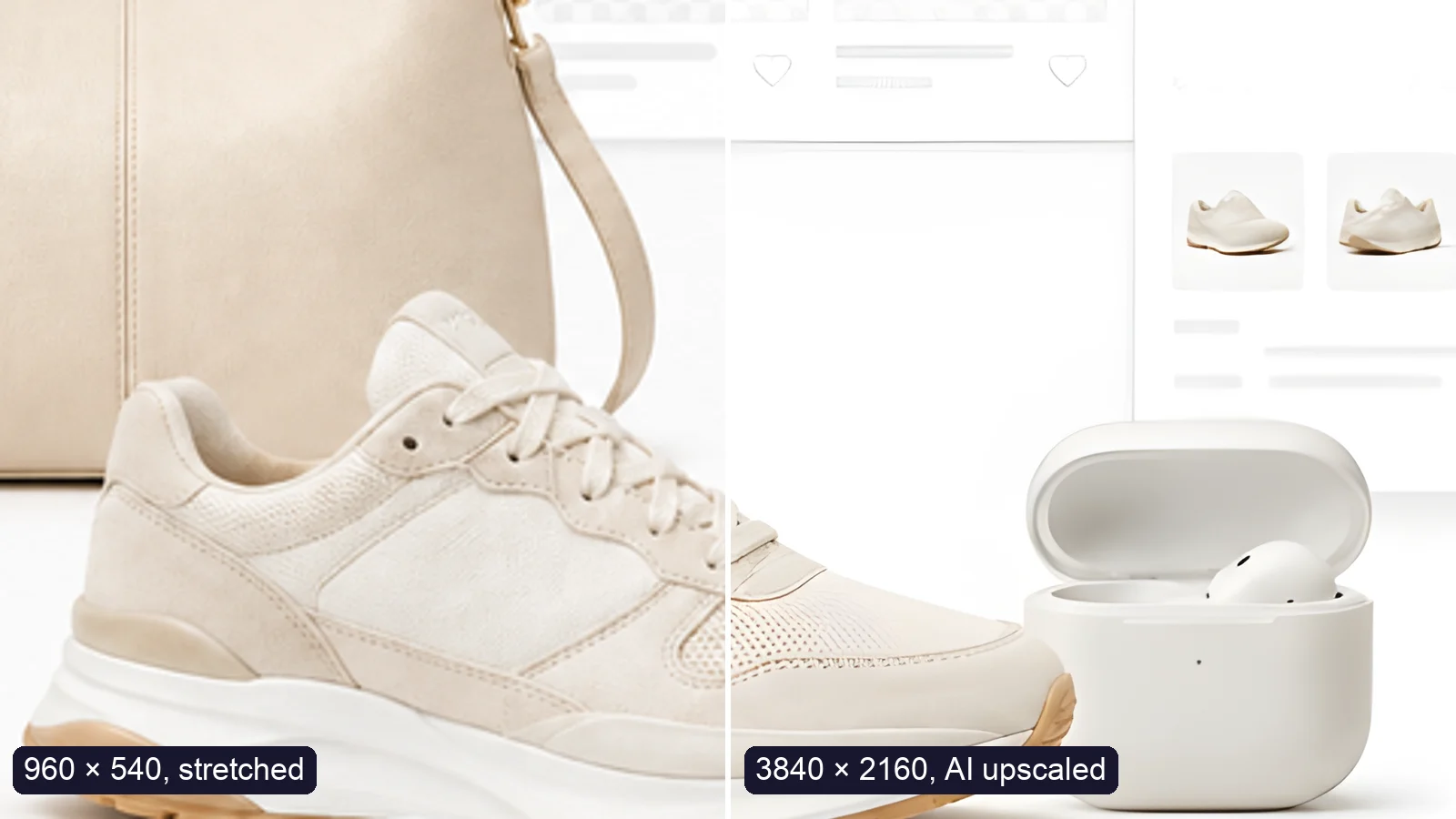
A sneaker photo: left half stretched from 960 × 540, right half upscaled to 3840 × 2160 with AI
Guide

How to Upscale an Image to 4K Without Losing Quality

Upscale an image to 4K (3840 × 2160) without losing quality: what AI can and can’t recover, free vs Pro tools, and a real 4× test.

Read article
PixVibe, the private image toolkit for you and your AI agents: an agent opens a link and downloads a transparent candle cutout
Guide

How to Let Your AI Agent Edit Images with PixVibe

Let an AI agent edit images with PixVibe: one link per job, no API key. We tested Claude, Codex and ChatGPT agent, and show what to check.

Read article
A perfume bottle and a watch photographed on a phone, each turned into a 2000 × 2000 product photo on a pure white background
Guide

Product Photos With Your Phone: Amazon, Etsy & Shopify Sizes

Shoot product photos on a phone, remove the background, and size them for Amazon, Etsy, Shopify and eBay. Official rules in one table.

Read article
MORE TOOLS

Explore more tools

Free image tools

Free · In-browser processing

Remove BackgroundRemove BackgroundMake any image transparent — free PNG.Image ConverterImage ConverterHEIC to JPG, WebP to PNG, JPG to WebP & more.PDF to ImagePDF to ImageTurn PDF pages into JPG, PNG or WebP images — pick pages and DPI.Image to PDFImage to PDFCombine JPG, PNG or HEIC photos into one PDF — A4, Letter or fit.Compress PDFCompress PDFShrink scanned and image-heavy PDFs, keep selectable text, or hit a target size in KB.Passport PhotoPassport PhotoFrame your face to passport, visa or ID sizes, change the background and print several on one sheet.Compress ImageCompress ImageReduce image size, keep the quality.Resize ImageResize ImageResize for YouTube thumbnails & any size.Crop ImageCrop ImageCrop and reframe with precision.AI UpscalerAI UpscalerAI upscale image resolution up to 4×.

Free video tools

Free · In-browser processing

Compress VideoCompress VideoShrink a video to a set file size, in your browser.

Pro tools

Server AI · Uses credits

AI Background Remover HDAI Background Remover HDHigh-precision edges for hair, fur and fine detail.HD Image ConverterHD Image ConverterAI upscale, then convert to high-res WebP, PNG or JPG.AI Image EnhancerAI Image EnhancerEnhance and upscale photos with multiple AI models.
Free AI Image UpscalerBrowse all tools

Tags on this page

Media
Image›
Pricing
PRO›
Runs on
Cloud AI · uses credits
Task
Upscale & enhance›
Platform
Print›Amazon›
Use case
Old & low-res photos›Product photos›
For
Online sellers›
AI model
Real-ESRGANGPT ImageGeminiSeedream












