Stamp Size Photo Maker: 2 × 2.5 cm (20 × 25 mm)

A stamp size photo is a small ID photo that many forms and schools in India ask for. It is smaller than a passport size photo, and it has nothing to do with personalised postage stamps. No official rule sets its size. The most common is 20 × 25 mm, or 2 × 2.5 cm, so this page opens with Custom size set to those numbers; if your form names another size, type it into Width and Height. Add a picture and you get a 236 × 295 pixel photo on white, or a 4 × 6 in sheet of 20. Everything runs in your browser.

WHY USE IT

Features

Opens on Custom size, set to 20 × 25 mm

The Size or document menu starts on Custom size, with Width 20, Height 25 and Unit mm. The note under it reads "Common size; there is no single official source for it." Change either number and the frame follows.

Head framed to about 68% of the height

The tool finds your face and sizes your head, chin to top of hair, to about 68% of the photo's height: roughly 17 mm out of 25. The two guide lines mark where the top of the head and the chin sit at that 68% default; they are not a requirement taken from any form. If your form wants a bigger face, zoom in a little.

White background, or four other colours

The background is replaced with white by default; Change colour lets you pick it yourself. Off-white, light grey, light blue and cream sit in the same row, and Keep original keeps the background you were photographed against.

Print sheets: 20 on 4 × 6 in, 91 on A4

Print sheet opens on 4 × 6 in paper with 20 copies and cut lines. A4 fits 91 and Letter 90, and both can also be saved as a PDF.

OUR TEST

Our test on 19 November 2026: two photos of people (563 × 589 and 1536 × 1024 px) made into 20 × 25 mm photos

CheckResultNote
Single photo, JPG, no limit236 × 295 px, 21.1 and 21.6 KBDefault JPG quality; 20 × 25 mm at 300 pixels per inch
Max file size (KB) set to 2019.4 and 19.8 KBHighest quality that fits under 20 KB
Max file size (KB) set to 2523.3 and 23.6 KBSaved above the default quality, still under 25 KB
Max file size (KB) set to 30 or 5027.1 and 27.5 KBHighest quality the tool saves at this pixel size; never padded up to the limit
Resolution, 563 × 589 px original"Enough resolution (575 px, needs 295 px)"PixVibe's own check; a 35 × 45 mm photo needs 531 px
Edges of the frameBoth originals were framed too tightly: the tool showed "doesn't reach every edge"Gaps were filled with white; a picture with more room around the head avoids this
Print sheet, 4 × 6 in / A4 / Letter20 / 91 / 90 photosLaid out in 4 × 5, 13 × 7 (A4 in landscape) and 9 × 10 grids (columns × rows), counted on the saved files
WHAT IT'S FOR

Use cases

A small photo box on a form

Admission, scholarship and exam forms sometimes print a small box for a stamp size photo. Measure the box with a ruler: if it is 20 × 25 mm, the size the page opens with already fits; if not, enter its size under Custom size.

Copies you sign or self-attest

When a form asks you to sign across the photo or self-attest it, print the sheet first and sign the paper copy by hand. The tool makes and lays out the photo; signing is up to you.

An upload with a KB cap

Online forms often cap the photo file in KB. Type the cap into Max file size (KB). With no limit, a 20 × 25 mm photo came to about 21 KB in our test. Set a limit and the tool saves the highest quality that fits; at this size, that never came to more than about 27 KB. If the form gives a range such as 20–50 KB, enter 50: our two test photos came out at 27.1 and 27.5 KB, inside the range.

HOW IT WORKS

How to make a 2 × 2.5 cm stamp size photo

01

Add a picture

Start from a photo where you face the camera with some space around your head. The tool reads JPG, PNG, WebP, HEIC, AVIF, TIFF, BMP, or TGA, up to 100MB per file. Without signing in you work on one photo at a time; signed in, you can add up to 20 different photos and process them together.

02

Check the size and the framing

Width and Height should read 20 and 25 mm, or the numbers on your form. Custom sizes have no official head range, so Size check looks at the face, centring, tilt, background and resolution but not head height. Judge that by eye.

03

Save one photo or a sheet

Download saves the 236 × 295 pixel JPG, or a PNG if you switch Format. For paper copies, switch Output to Print sheet, keep 4 × 6 in or pick A4, and print at actual size (100%).

Stamp size photo size in cm, mm and pixels

In India, the most common stamp size photo is 2 × 2.5 cm: 20 mm wide and 25 mm tall, about 0.79 × 0.98 inches. As of 19 November 2026, we have found no government page that defines the size. It is a convention that Indian forms and photo studios follow. 20 × 25 mm is the figure studios and online stamp size photo makers quote most often, and some forms ask for 25 × 30 mm or 25 × 35 mm instead. Go by whatever your form or school specifies and enter that under Custom size.

In pixels, 20 × 25 mm at 300 pixels per inch is 236 × 295, which is the size you get here. A bigger size gives more pixels: 25 × 30 mm comes out at 295 × 354 and 25 × 35 mm at 295 × 413.
Stamp size next to other small photo sizes

In PixVibe's passport photo tool, 20 × 25 mm is not a preset of its own; it is Custom size with those two numbers. On 4 × 6 in paper it fits 20 copies. 25 × 30 mm is the same size as the Tamaño infantil preset (295 × 354 px, 12 per 4 × 6 in sheet), which is listed under Mexico and explained on our tamaño infantil page. That preset doesn't apply any Mexican requirements. It has no official head range either, so Size check runs the same checks as it does for Custom size, and entering 25 and 30 under Custom size gives exactly the same photo. 25 × 35 mm has no preset, so enter it under Custom size: 295 × 413 px, 10 per sheet.

The next size up is the passport size photo, 35 × 45 mm, available as the Passport size preset: 413 × 531 px and 6 per 4 × 6 in sheet. If an Indian form says "passport size" rather than "stamp size", it usually means 35 × 45 mm, the size our passport size photo page is set up for; check the size printed on the form.

How many stamp size photos fit on one sheet

On 4 × 6 in paper the tool lays out 4 columns and 5 rows, 20 photos in all, where a 35 × 45 mm photo gets 6. A4 takes 91 stamp size photos (13 columns × 7 rows, in landscape) compared with 30 passport size photos, and Letter takes 90 compared with 28. Paper of 10 × 15 cm also holds 20, the 2L size (127 × 178 mm) holds 30, and the L size (89 × 127 mm) holds 15. We checked these layouts on the saved files: 4 × 6 in at 1200 × 1800 pixels, A4 in landscape at 3508 × 2480, and Letter upright at 2550 × 3300, which holds 9 columns × 10 rows. We also counted 25 × 35 mm photos on a 4 × 6 in sheet, which the tool turns to landscape (1800 × 1200 pixels) for this size: 5 columns × 2 rows, 10 photos. The other counts are the numbers the tool shows for each paper size.

Print at 100%, not "fit to page". A sheet scaled to the page shrinks every photo a little, and at 25 mm tall the difference is easy to miss until the print sits next to the box on the form. Paper choices and home printing are covered on our print passport photos page.

File size, resolution and edges at 25 mm tall

A 236 × 295 photo is a small file. With no limit, the tool saves the JPG at its default quality, and our two test photos came to 21.1 and 21.6 KB. Enter a number in Max file size (KB) and it saves at the highest quality that fits under it. At 20 KB the photos dropped to 19.4 and 19.8 KB, and at 25 they rose to 23.3 and 23.6 KB. At 30 or 50 they stopped at 27.1 and 27.5 KB, the highest quality the tool saves at this pixel count. PixVibe does not pad a file out to meet a minimum, so if a form asks for more than about 27 KB, a 20 × 25 mm photo at 300 pixels per inch is unlikely to reach it; ask whether a bigger size is accepted.

The resolution check is easy to pass at this size. The frame has to cover 295 pixels of the original's height, compared with 531 for a 35 × 45 mm photo, and our 563 × 589 px picture covered 575. Tight cropping is the more likely problem. Both test photos got the note that the photo doesn't reach every edge of the frame, and the gaps were filled with the background colour, white in our test. In the 1536 × 1024 photo, long curly hair also touched the left side. A picture with more room around the head avoids both.

FAQ

Frequently asked questions

On Indian forms, most often 2 × 2.5 cm (20 × 25 mm), width by height, or about 0.79 × 0.98 inches. There is no official definition, and some forms ask for 2.5 × 3 cm or 2.5 × 3.5 cm, so follow the size your form gives.

RELATED

You might also need

Related articles

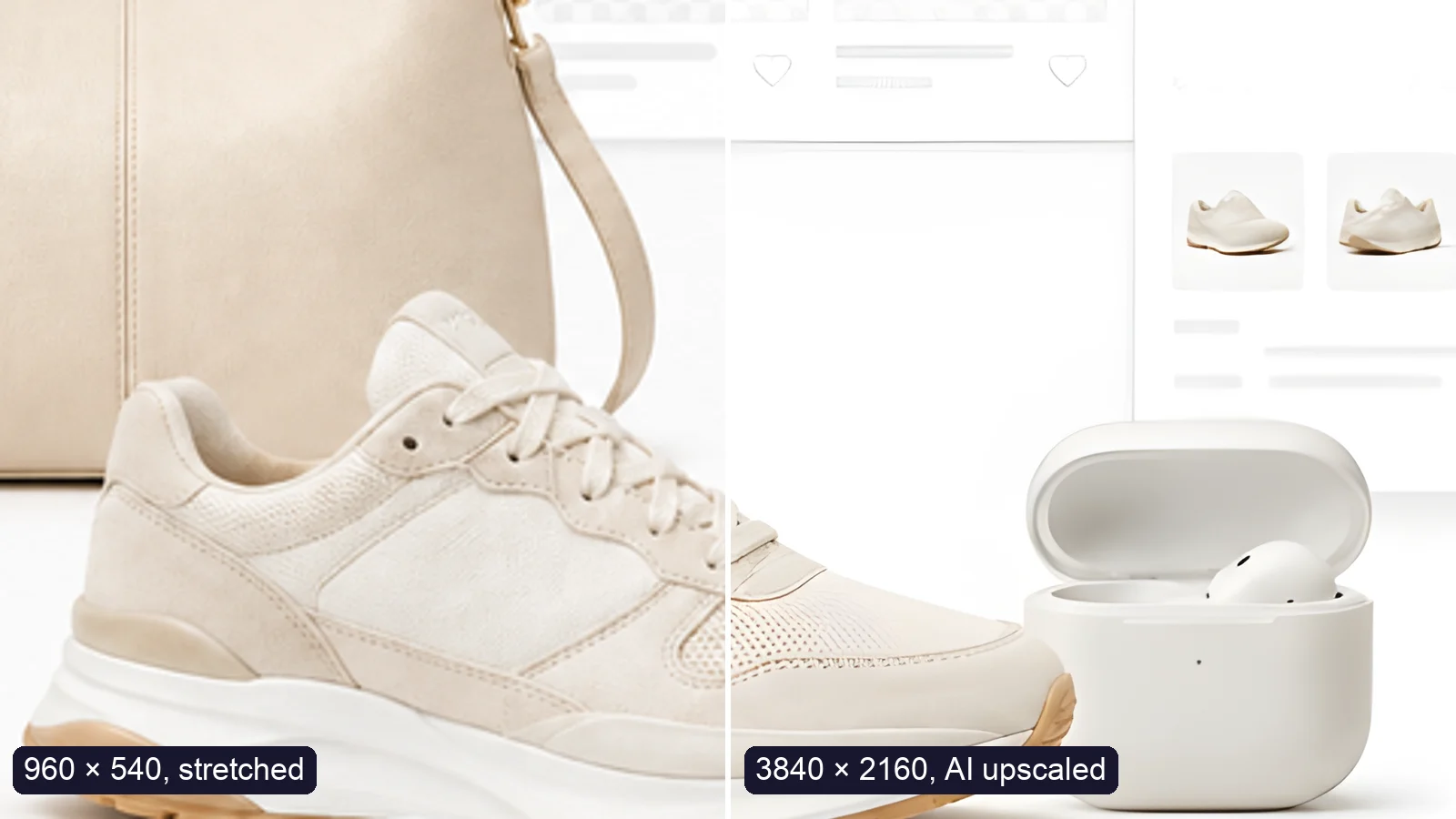
A sneaker photo: left half stretched from 960 × 540, right half upscaled to 3840 × 2160 with AI
Guide

How to Upscale an Image to 4K Without Losing Quality

Upscale an image to 4K (3840 × 2160) without losing quality: what AI can and can’t recover, free vs Pro tools, and a real 4× test.

MORE TOOLS

Explore more tools

Free image tools

Free · In-browser processing

Free video tools

Free · In-browser processing

Pro tools

Server AI · Uses credits

Tags on this page