Home

Pricing

Blog

Free image tools

Free · In-browser processing

Remove BackgroundTransparent PNG in seconds.Image ConverterSwitch between image formats.PDF to ImageTurn PDF pages into JPG, PNG and more.Image to PDFCombine images into one PDF.Compress PDFMake a PDF smaller, down to a target size.Passport PhotoPassport and ID photos in the right size, ready to print.Compress ImageSmaller files, crisp images.Resize ImageExact sizes for any platform.Crop ImageFrame your image just right.AI UpscalerEnlarge images up to 4×.

Free video tools

Free · In-browser processing

Compress VideoShrink a video to a set file size, in your browser.

Pro tools

Server AI · Uses credits

AI Background Remover HDPrecise hair and fine edges.HD Image ConverterUpscale and convert in HD.AI Image EnhancerEnhance detail with advanced AI.
View all tools
PixVibe
Home

Free image tools

Free · In-browser processing

Remove BackgroundTransparent PNG in seconds.Image ConverterSwitch between image formats.PDF to ImageTurn PDF pages into JPG, PNG and more.Image to PDFCombine images into one PDF.Compress PDFMake a PDF smaller, down to a target size.Passport PhotoPassport and ID photos in the right size, ready to print.Compress ImageSmaller files, crisp images.Resize ImageExact sizes for any platform.Crop ImageFrame your image just right.AI UpscalerEnlarge images up to 4×.

Free video tools

Free · In-browser processing

Compress VideoShrink a video to a set file size, in your browser.

Pro tools

Server AI · Uses credits

AI Background Remover HDPrecise hair and fine edges.HD Image ConverterUpscale and convert in HD.AI Image EnhancerEnhance detail with advanced AI.
View all tools
PricingBlog
PixVibe

Free AI image tools — remove backgrounds, convert, compress, resize & upscale in seconds.

Product

Remove BackgroundImage ConverterPDF to ImageImage to PDFCompress PDFPassport PhotoCompress ImageResize ImageCrop ImageAI UpscalerCompress VideoPricing

Pro tools

AI Background Remover HDHD Image ConverterAI Image Enhancer

Resources

ToolsBlogFor AI agentsHow we keep files localAI Font Prompts

Legal

Terms of ServicePrivacy PolicyLegalThird-party licensesContact

© 2026 PixVibe. All rights reserved.A Funovate Technology product

Notifications

No notifications yet

We'll let you know when something important happens.

HomeToolsPassport PhotoUS Visa Photo: 600 × 600 JPEG Under 240 KB
Local AI · no upload›Print›ID & passport photos›JPG›Office & students›

US Visa Photo: 600 × 600 JPEG Under 240 KB

Make a US visa photo for the online visa form. This page opens on the US visa size: a square JPEG of 600 × 600 pixels, saved under 240 KB, with the head scaled into the 50–69% range. Need prints for the interview as well? Switch to a 2 × 2 in print sheet. The photo stays in your browser.

WHY USE IT

Features

Digital size, preselected

The size list is already on US visa, digital · 600–1200 px, under United States. The download is a 600 × 600 JPEG, the smallest size the rules accept.

Kept under 240 KB

With this size the single photo is saved as JPEG and compressed until it fits 240 KB. Max file size (KB) can go lower if a form asks for less, never higher than 240.

Head in the 50–69% band

The crop puts chin to crown near the middle of 50–69% of the photo height. Size check shows the measured share so you can see it before you upload.

Interview prints from the same photo

Output › Print sheet lays out 2 × 2 in copies with cut lines: 2 on 4 × 6 in paper, 15 on Letter or A4.

WHAT IT'S FOR

Use cases

DS-160 upload

The online visa form asks you to upload the digital image while you fill it in. A file that is too large or not square is the usual hold-up.

Embassy or consulate interview

Some embassies and consulates ask applicants to bring a printed photo to the interview; immigrant visa interviews ask for two identical photos.

Students and visitors applying from home

F-1, J-1 and B-1/B-2 applicants can take the picture against a plain wall at home and size it here instead of booking a studio.

HOW IT WORKS

How to make a passport or ID photo

01

Add a photo

Use one taken straight on against a plain light wall, without glasses (JPG, PNG, WebP, HEIC, AVIF, TIFF, BMP, or TGA, max 100MB).

02

Check the frame

Drag and zoom so the crown and chin sit on the guides. Size check reports the head share, centring and level eyes.

03

Download

Download gives the 600 × 600 JPEG under 240 KB for the form. For interview prints choose Print sheet and the paper.

The US visa photo rules in numbers

The State Department visa photo page asks for a colour photo taken in the last 6 months, in front of a plain white or off-white background, with the head between 1 and 1⅜ in (22–35 mm), or 50% to 69% of the image height from chin to crown.

For the digital file: a square JPEG between 600 × 600 and 1200 × 1200 pixels, sRGB colour, 240 KB or less. This page saves the minimum, 600 × 600, which keeps the file small without strong compression.

Glasses and editing

Eyeglasses are no longer allowed in new visa photos except in rare medical cases, so take them off before the shot. The rules also say photos "must not be digitally enhanced or altered to change your appearance in any way". This page crops, scales and sets the background; it does not smooth skin or reshape faces.

If your wall is already plain white, Keep original leaves it as shot.

Digital file, printed photo or both

Some visa categories need a digital image and others a printed photo, and a few embassies ask for a print at the interview even after the upload. Print sheet makes 2 × 2 in copies from the same photo, the size described on the 2x2 picture page.

The Diversity Visa lottery is stricter on pixels: its entry photo must be exactly 600 × 600, which this page also produces.

Visa photos for other countries

Schengen, UK, Canada and China visa photos each have their own size. The ID photo requirements table lists them with links to the official pages, and a baby passport photo has its own rules for infants.

FAQ

Frequently asked questions

Printed: 2 × 2 in (51 × 51 mm). Digital: a square JPEG of 600 × 600 to 1200 × 1200 pixels, 240 KB or less. This page saves 600 × 600.

With US visa selected, the single photo is compressed as JPEG until it fits 240 KB. You can set a lower limit in Max file size.

No, except in rare medical cases with a signed statement. Take them off before the shot.

Plain white or off-white, with no shadows. The background colour choices include both.

No. The crop, compression and print sheet are made on your device; you upload the file to the visa form yourself.

RELATED

You might also need

Passport size photoPhoto requirements by country3x4 photo2x2 pictureBaby passport photo5 × 7 cm photoSpanish passport photoInfantil size photo

Related articles

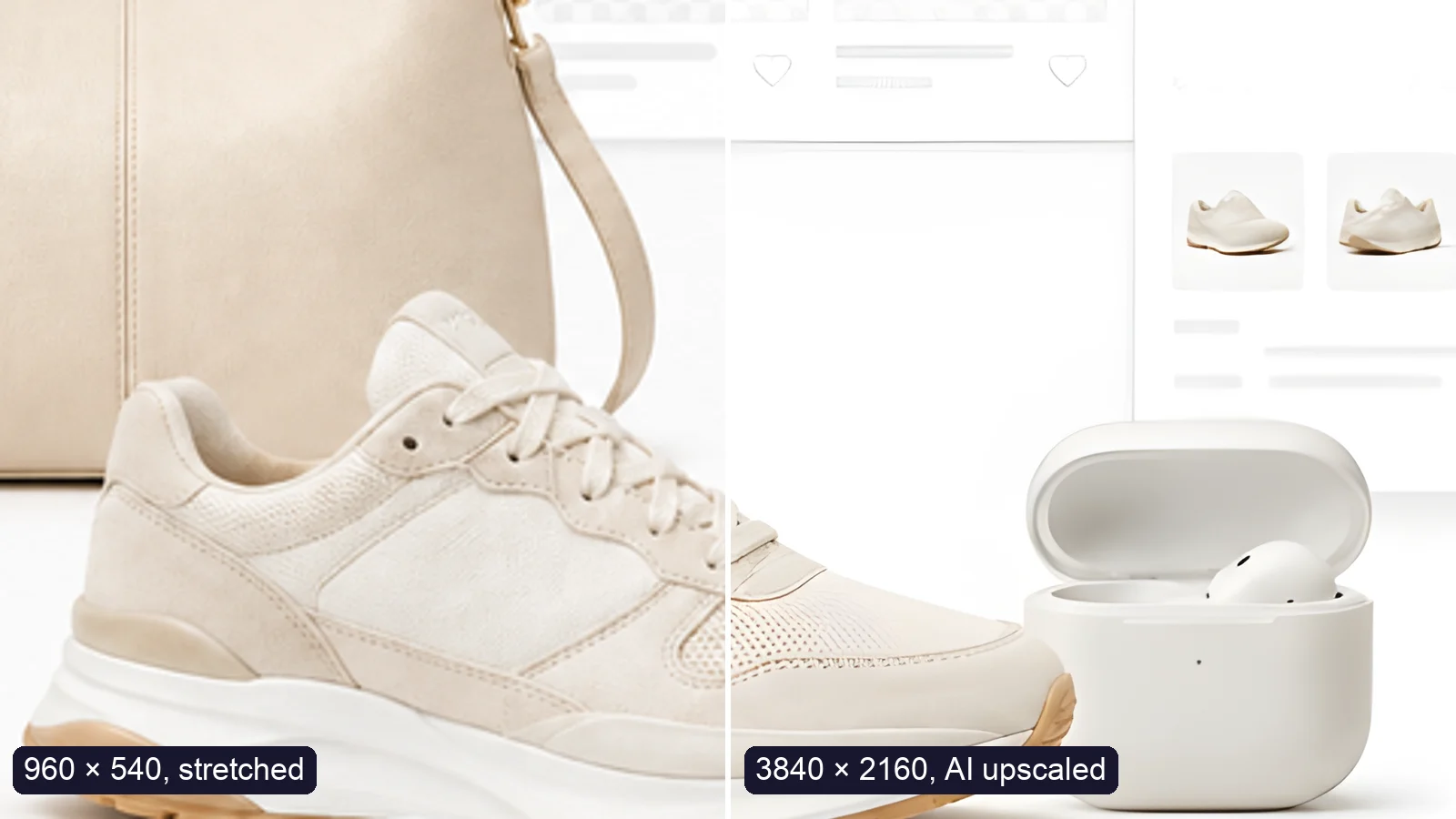
A sneaker photo: left half stretched from 960 × 540, right half upscaled to 3840 × 2160 with AI
Guide

How to Upscale an Image to 4K Without Losing Quality

Upscale an image to 4K (3840 × 2160) without losing quality: what AI can and can’t recover, free vs Pro tools, and a real 4× test.

Read article
MORE TOOLS

Explore more tools

Free image tools

Free · In-browser processing

Remove BackgroundRemove BackgroundMake any image transparent — free PNG.Image ConverterImage ConverterHEIC to JPG, WebP to PNG, JPG to WebP & more.PDF to ImagePDF to ImageTurn PDF pages into JPG, PNG or WebP images — pick pages and DPI.Image to PDFImage to PDFCombine JPG, PNG or HEIC photos into one PDF — A4, Letter or fit.Compress PDFCompress PDFShrink scanned and image-heavy PDFs, keep selectable text, or hit a target size in KB.Passport PhotoPassport PhotoFrame your face to passport, visa or ID sizes, change the background and print several on one sheet.Compress ImageCompress ImageReduce image size, keep the quality.Resize ImageResize ImageResize for YouTube thumbnails & any size.Crop ImageCrop ImageCrop and reframe with precision.AI UpscalerAI UpscalerAI upscale image resolution up to 4×.

Free video tools

Free · In-browser processing

Compress VideoCompress VideoShrink a video to a set file size, in your browser.

Pro tools

Server AI · Uses credits

AI Background Remover HDAI Background Remover HDHigh-precision edges for hair, fur and fine detail.HD Image ConverterHD Image ConverterAI upscale, then convert to high-res WebP, PNG or JPG.AI Image EnhancerAI Image EnhancerEnhance and upscale photos with multiple AI models.
All Passport Photo optionsUse this tool with an AI agent

Tags on this page

Media
Image›
Pricing
Free›
Runs on
Local AI · no upload›
Task
Passport photo›
Format
JPG›PNG›PDF›
Platform
Print›Websites›
Use case
ID & passport photos›Documents & scans›
For
Office & students›
Feature
Solid background color›Size presets›Batch processing›No upload›Target file size›
AI model
MODNetYuNet











