Home

Pricing

Blog

Free image tools

Free · In-browser processing

Remove BackgroundTransparent PNG in seconds.Image ConverterSwitch between image formats.PDF to ImageTurn PDF pages into JPG, PNG and more.Image to PDFCombine images into one PDF.Compress PDFMake a PDF smaller, down to a target size.Passport PhotoPassport and ID photos in the right size, ready to print.Compress ImageSmaller files, crisp images.Resize ImageExact sizes for any platform.Crop ImageFrame your image just right.AI UpscalerEnlarge images up to 4×.

Free video tools

Free · In-browser processing

Compress VideoShrink a video to a set file size, in your browser.

Pro tools

Server AI · Uses credits

AI Background Remover HDPrecise hair and fine edges.HD Image ConverterUpscale and convert in HD.AI Image EnhancerEnhance detail with advanced AI.
View all tools
PixVibe
Home

Free image tools

Free · In-browser processing

Remove BackgroundTransparent PNG in seconds.Image ConverterSwitch between image formats.PDF to ImageTurn PDF pages into JPG, PNG and more.Image to PDFCombine images into one PDF.Compress PDFMake a PDF smaller, down to a target size.Passport PhotoPassport and ID photos in the right size, ready to print.Compress ImageSmaller files, crisp images.Resize ImageExact sizes for any platform.Crop ImageFrame your image just right.AI UpscalerEnlarge images up to 4×.

Free video tools

Free · In-browser processing

Compress VideoShrink a video to a set file size, in your browser.

Pro tools

Server AI · Uses credits

AI Background Remover HDPrecise hair and fine edges.HD Image ConverterUpscale and convert in HD.AI Image EnhancerEnhance detail with advanced AI.
View all tools
PricingBlog
PixVibe

Free AI image tools — remove backgrounds, convert, compress, resize & upscale in seconds.

Product

Remove BackgroundImage ConverterPDF to ImageImage to PDFCompress PDFPassport PhotoCompress ImageResize ImageCrop ImageAI UpscalerCompress VideoPricing

Pro tools

AI Background Remover HDHD Image ConverterAI Image Enhancer

Resources

ToolsBlogFor AI agentsHow we keep files localAI Font Prompts

Legal

Terms of ServicePrivacy PolicyLegalThird-party licensesContact

© 2026 PixVibe. All rights reserved.A Funovate Technology product

Notifications

No notifications yet

We'll let you know when something important happens.

HomeToolsRemove BackgroundChange Background Color
Local AI · no upload›YouTube›Product photos›PNG›Online sellers›

Change Background Color

Change background color on a portrait, product shot or logo without tracing anything by hand. This page starts with a light cyan backdrop so you can see the effect at once; click the color wheel to pick any other shade, choose from the preset swatches, or paste an exact HEX code. The AI cut-out is done on your device and the picture never leaves it.

WHY USE IT

Features

A colored backdrop from the first photo

The page opens with Custom color set to light cyan (#BCF2FF), so your first result already shows a new background instead of a checkerboard.

Exact brand colors by HEX

Open the color wheel and type a code such as #1E3A8A in the HEX color field. The download uses that value exactly, which matters when a slide or storefront has a set palette.

Try colors without waiting

Changing the color only repaints the preview; the subject is not cut out again. Click through the swatches until one fits.

One color for a whole batch

With a free account, add up to 20 photos, set a color once and apply it to all, so a team page or product range shares one backdrop.

WHAT IT'S FOR

Use cases

Team and speaker photos

Team and speaker photos

Headshots taken in different offices end up on the same company color, so the people grid on a website looks planned rather than collected.

Products on a brand palette

Products on a brand palette

A shop that uses a soft pastel for its listings can put every new item on that exact shade before uploading.

Thumbnails and social graphics

Thumbnails and social graphics

A bold backdrop behind a cut-out person makes a video thumbnail or a post stand out in a busy feed.

HOW IT WORKS

How to remove an image background

01

Upload the picture

Use JPG, PNG, WebP, HEIC, AVIF, TIFF, BMP, or TGA, up to 100MB. The cut-out runs automatically and lands on the light cyan preset.

02

Pick your color

Click the color wheel next to the swatches. Choose color opens your system picker; below it are eight presets and a HEX color box.

03

Export

From Download, save a PNG or JPG. The file name records the code, for example photo-bg-1e3a8a.png.

How to change background color to one that works

Start from contrast. A pale subject such as a white sneaker or blond hair disappears on a light backdrop, and a navy jacket disappears on navy; aim for a background clearly lighter or darker than the edge of the subject.

Then think about where the image will sit. Soft, low-saturation colors (light gray, cream, pale blue) keep attention on the product and suit catalogues. Saturated colors grab attention and suit thumbnails and banners, but they also reflect a little onto skin in the eye's perception, so check that faces still look natural.

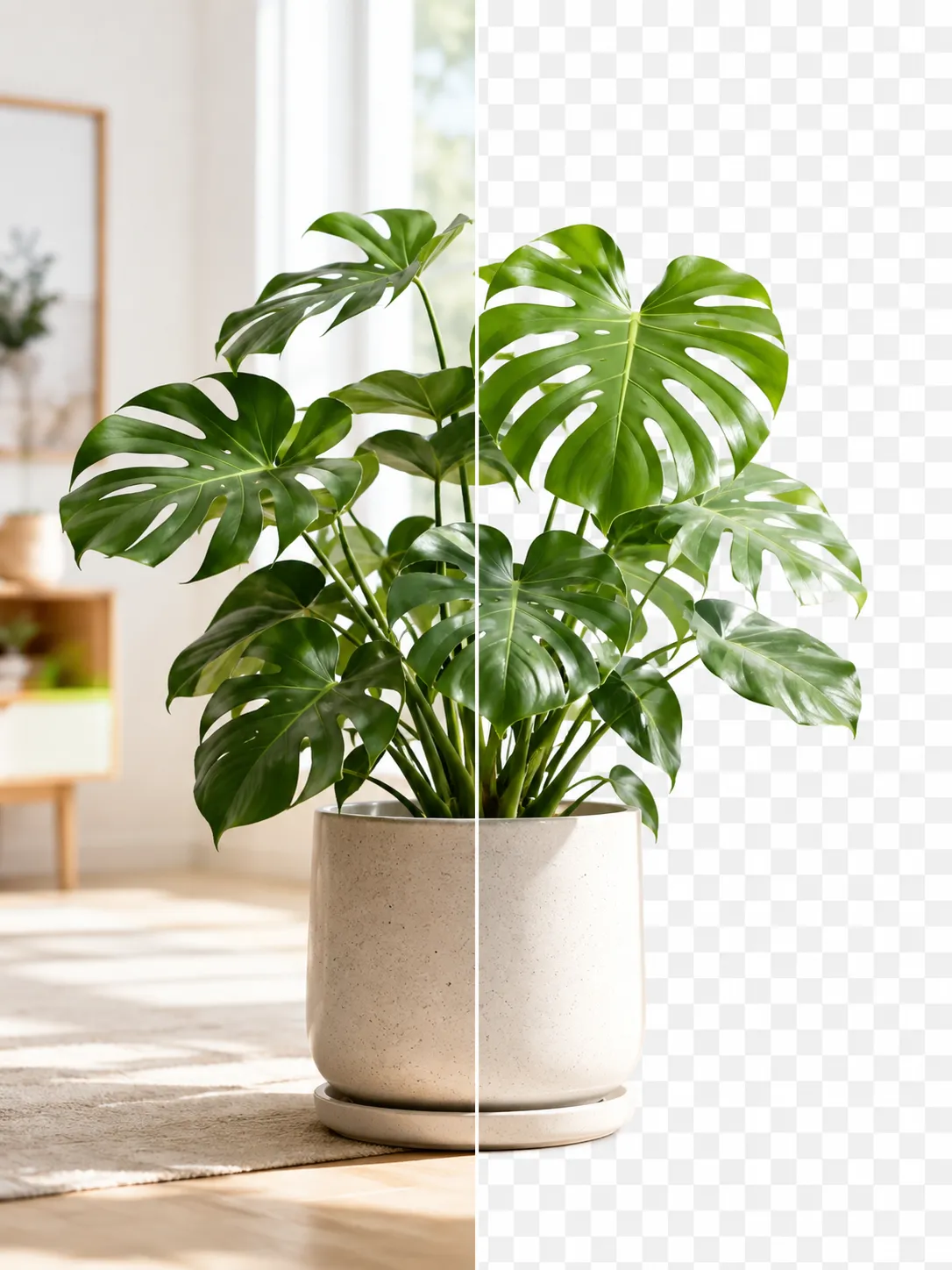
Why a thin edge of the old color can show

Around hair, fur and soft outlines the cut-out keeps partly transparent pixels, and those pixels still carry a trace of the original background. On a neutral new color nobody notices. On a strong contrast, such as a portrait shot against a green wall placed on bright pink, a faint green fringe can appear in the hair.

To reduce it, rerun the cut-out with High quality or Ultra detail, clean stray strands with Touch up, or pick a color closer in brightness to the old background.

FAQ

Frequently asked questions

Drop it into the tool above and the AI removes the old background. Click the color wheel, pick a swatch or enter a HEX code, then export it from Download as a PNG or JPG.

Yes. In the color panel, type the code in the HEX color field, for example #F5F5F5. The downloaded file uses that exact value.

Under Background there are quick choices for white, gray and black. The color wheel adds eight presets (white, gray, black, purple, cyan, pink, orange, lime) plus any color from your system picker.

No. Both the cut-out and the color fill are computed locally by your browser; the picture is never sent to a server.

Yes. Pick Transparent under Background and download the PNG; JPG files cannot store transparency and get a white fill instead.

RELATED

You might also need

Make background whiteBlur background

Related articles

A perfume bottle and a watch photographed on a phone, each turned into a 2000 × 2000 product photo on a pure white background
Guide

Product Photos With Your Phone: Amazon, Etsy & Shopify Sizes

Shoot product photos on a phone, remove the background, and size them for Amazon, Etsy, Shopify and eBay. Official rules in one table.

Read article
A product photo shown before and after background removal
Guide

How to Remove an Image Background for Free (No Signup)

Get a clean transparent cut-out in seconds in your browser — no watermark, no account. The fastest free method, plus tips for tricky edges.

Read article
PixVibe, the private image toolkit for you and your AI agents: an agent opens a link and downloads a transparent candle cutout
Guide

How to Let Your AI Agent Edit Images with PixVibe

Let an AI agent edit images with PixVibe: one link per job, no API key. We tested Claude, Codex and ChatGPT agent, and show what to check.

Read article
MORE TOOLS

Explore more tools

Free image tools

Free · In-browser processing

Remove BackgroundRemove BackgroundMake any image transparent — free PNG.Image ConverterImage ConverterHEIC to JPG, WebP to PNG, JPG to WebP & more.PDF to ImagePDF to ImageTurn PDF pages into JPG, PNG or WebP images — pick pages and DPI.Image to PDFImage to PDFCombine JPG, PNG or HEIC photos into one PDF — A4, Letter or fit.Compress PDFCompress PDFShrink scanned and image-heavy PDFs, keep selectable text, or hit a target size in KB.Passport PhotoPassport PhotoFrame your face to passport, visa or ID sizes, change the background and print several on one sheet.Compress ImageCompress ImageReduce image size, keep the quality.Resize ImageResize ImageResize for YouTube thumbnails & any size.Crop ImageCrop ImageCrop and reframe with precision.AI UpscalerAI UpscalerAI upscale image resolution up to 4×.

Free video tools

Free · In-browser processing

Compress VideoCompress VideoShrink a video to a set file size, in your browser.

Pro tools

Server AI · Uses credits

AI Background Remover HDAI Background Remover HDHigh-precision edges for hair, fur and fine detail.HD Image ConverterHD Image ConverterAI upscale, then convert to high-res WebP, PNG or JPG.AI Image EnhancerAI Image EnhancerEnhance and upscale photos with multiple AI models.
All Remove Background optionsUse this tool with an AI agent

Tags on this page

Media
Image›
Pricing
Free›
Runs on
Local AI · no upload›
Task
Remove background›
Format
PNG›JPG›
Platform
YouTube›Websites›
Use case
Product photos›Profile pictures›Logos & icons›Social media posts›
For
Online sellers›Content creators›Designers›
Feature
Solid background color›Trim whitespace›Brush touch-up›Batch processing›No upload›
AI model
IS-NetBiRefNetBEN2













