Best Free PDF Compressor (2026): 6 Tools, Same 6 Files
I ran the same six PDFs through six free tools, measured size, image quality and text, and checked which ones upload your file.
Picking the best free PDF compressor comes down to one question: can the file leave your computer? If it can, PDF24 was the best all-round choice in my 23 November 2026 test of six tools on the same six PDFs. If it can't, or the PDF has to fit a size limit like 200 KB, PixVibe was the better pick: it compresses in your browser and lets you type the size you need.
I make PixVibe, one of the six. I'm saying that first because it matters for everything below. PixVibe does not win on every file, and where it loses, the numbers are in the tables.
Key takeaways
- PDF24 kept the most image quality of the four upload tools on every file I could score, made the smallest version of the text-heavy PDF (114 KB), and is free; it says it has no limits.
- PixVibe and macOS Preview were the only two that did not upload the PDF. On every image-based file, PixVibe's output was about half the size of Preview's or smaller.
- PixVibe was the only tool that lets you type a target size. It reached 200 KB on the scanned contract, at a visible cost in quality (0.794), and 100 KB on the receipts (0.885).
- iLovePDF was best on the screenshot PDF: 820 KB, about a third smaller than PixVibe's default (1.24 MB), at similar quality. Its strongest level is free.
- Smallpdf made the smallest default file on five of the six PDFs, with the lowest image quality on the two files I could score, and locked me out of downloads after the fourth one.
- At their default settings, Sejda barely shrank the text-heavy PDF (2.5% smaller) and macOS Preview made it 3.4% larger.
The results
At default settings, PDF24 kept the most quality of the upload tools, Smallpdf and iLovePDF made the smallest files, and PixVibe and macOS Preview were the only two that kept the PDF on the device.
| Tool | Where your PDF goes | Scanned contract, 11.7 MB | Text report, 1.49 MB | Screenshots, 11.2 MB | Type a target size | Free limits I hit or found |
|---|---|---|---|---|---|---|
| PixVibe | Stays on your device | 845 KB · 0.949 | 153 KB | 1.24 MB · 0.988 | Yes | None for one file at a time; batches of 20 with a free account |
| iLovePDF | Uploaded, deleted within 2 hours | 691 KB · 0.949 | 154 KB | 820 KB · 0.985 | No | 2 files per batch |
| Smallpdf | Uploaded, deleted after 1 hour | 603 KB · 0.940 | 120 KB | about 797 KB (no download) | No | Locked after 4 downloads |
| PDF24 | Uploaded, deleted within 1 hour | 857 KB · 0.967 | 114 KB | 1.30 MB · 0.991 | No | None; it says it has no limits |
| Sejda | Uploaded, deleted after 2 hours | 783 KB · 0.959 | 1.45 MB | 1.16 MB · 0.987 | No | 3 tasks per hour, 50 MB per file |
| macOS Preview | Stays on your Mac | 1.93 MB · 0.979 | 1.54 MB (larger) | 2.45 MB · 0.993 | No | Mac only |
Each cell is the output size at the tool's default setting, then image quality as SSIM. SSIM compares each page with the original: 1.000 means the rendered pages are identical, and lower means more visible change. In the crops further down, files around 0.95 to 0.97 look close to the original at normal zoom. SSIM here is measured in grayscale, so it does not catch color shifts. Text and links survived in all six tools on the text report, so that column shows only size. All six files and every setting are in the appendix.
| If you need | Use | Why, from this test |
|---|---|---|
| The PDF must not leave your computer | PixVibe | No upload, and it compressed far more than macOS Preview: 845 KB against 1.93 MB on the contract |
| A file under a size limit (500 KB, 200 KB, 100 KB) | PixVibe | The only one with a target size box |
| The best image quality at a normal size, and uploading is fine | PDF24 | Highest quality of the upload tools on the scans and the smallest text PDF |
| The smallest file at the default setting | Smallpdf | Smallest default file on five of the six PDFs, at the lowest quality I measured |
| The smallest file at any free setting | PixVibe "Smallest" or iLovePDF "Extreme" | On the contract: PixVibe 153 KB at 0.794, iLovePDF 232 KB at 0.820. Both cost a lot of quality |
| A PDF made of screenshots | iLovePDF | 820 KB at 0.985 quality |
| A large scan (tens of MB) | PDF24 | 52.0 MB → 11.7 MB at 0.974, and it says it has no limits. Sejda came close (11.0 MB at 0.970), but its free plan caps files at 50 MB or 50 pages. PixVibe gave 12.6 MB at 0.970 |
How I tested
Six PDFs, each built around one kind of file people compress. I made all of them myself with a script: the contract and receipts are fake and marked SAMPLE, and none of the files contains a real document or personal data. I did not use PixVibe to make them. Download any of them and run your own test:
| File | Size | What it tests |
|---|---|---|
| 01 Phone-scanned contract | 11.7 MB, 3 pages | photos of paper pages with shadow and noise, the kind of file online forms often ask for |
| 02 Text report | 1.49 MB, 20 pages | text and vector charts with full fonts embedded, plus two links, 20 bookmarks and a form field |
| 03 Photo catalog | 31.9 MB, 10 pages | large photos with a caption on each page |
| 04 App screenshots | 11.2 MB, 12 pages | lossless PNG screenshots with small interface text |
| 05 Receipts | 11.5 MB, 6 pages | phone photos of store receipts |
| 06 Big scan | 52.0 MB, 40 pages | a long 300 dpi scan, to find each tool's limits |
- Free plans only, no account. Each tool's default setting, plus its strongest free setting where it has one. Only PixVibe and iLovePDF offer a second preset level for free; Smallpdf's other levels are Pro. PDF24 lets you change DPI and image quality by hand, and Sejda has other image-quality options; I tested both at their defaults only.
- One run per file per setting, on 23 November 2026, on a Mac mini in Chrome, over home broadband. PixVibe is the version live on pixvibe.ai that day.
- Size is the size of the file I downloaded, in decimal units (1 KB = 1,000 bytes, 1 MB = 1,000 KB). For Smallpdf's files 04 to 06 I only have the size its page showed, because it had stopped allowing downloads.
- Image quality is SSIM: I rendered every page of the original and the output at 150 DPI in grayscale and compared them. I report the average over all pages. The same script scored all six tools.
- Text is the share of the original's words still in the output's text layer, which tells you whether you can still select and search the text. For the text report, I also counted links, bookmarks and the form field.
- Upload: I watched the network requests each page made while it compressed.
- macOS Preview: on macOS 26.5, I used a script to apply the same system filter Preview uses for Export → Reduce File Size.
Speed is not in the main table because the numbers do not measure the same thing. PixVibe and macOS Preview compress on the device: PixVibe took 0.2 to 2.2 seconds per file at its default setting, Preview under 2 seconds. The four upload tools took 4 to 98 seconds from choosing the file to the result page, and that includes the upload.
Which PDF compressors upload your file
Four of the six sent the PDF to their own servers. PixVibe and macOS Preview did not:
| Tool | What happened while it compressed |
|---|---|
| PixVibe | The PDF never left the browser. While it compressed the 31.9 MB catalog, the page made five small analytics requests; the largest was 5,039 bytes |
| macOS Preview | Runs on the Mac; no network involved |
| iLovePDF | Compressed on its servers; the result downloads from api*.ilovepdf.com/v1/download/ |
| Smallpdf | Uploaded the file to smallpdf-production-files storage, then started a task at task.smallpdf.com |
| PDF24 | Uploaded the file with a progress bar, then showed the server job's result |
| Sejda | Uploaded to www.sejda.com/api/files/upload, then started a task at /api/tasks |
All four upload tools state a short deletion time: iLovePDF within 2 hours (iLovePDF Privacy Policy), Smallpdf after 1 hour (Smallpdf Compress PDF FAQ), PDF24 within 1 hour, on servers in the EU (PDF24 FAQ), and Sejda after 2 hours (Sejda Compress PDF). For a contract, an ID or a medical record, the file is still uploaded, however soon it is deleted. PixVibe explains what it sends and how to check it on its local processing page.
File by file
Scanned contract: PDF24 kept the most detail at the same size
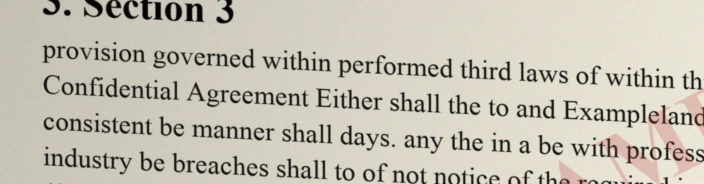
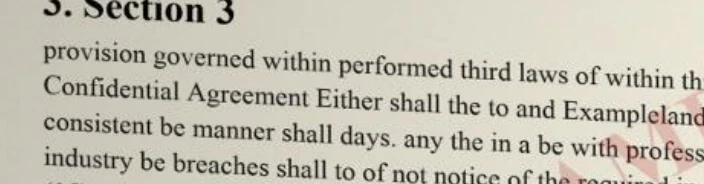
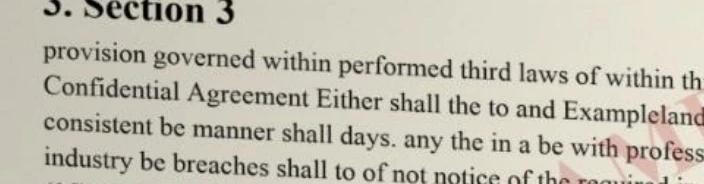
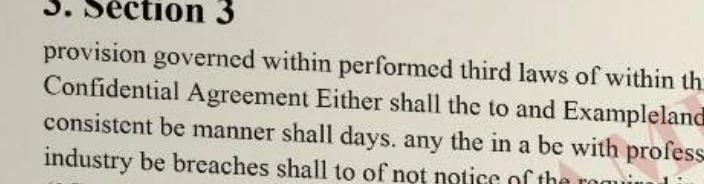
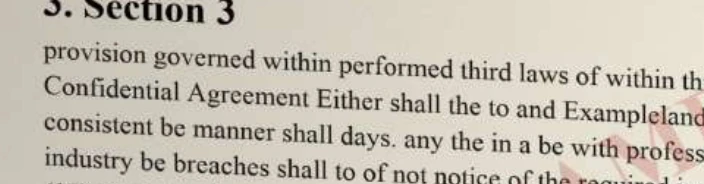
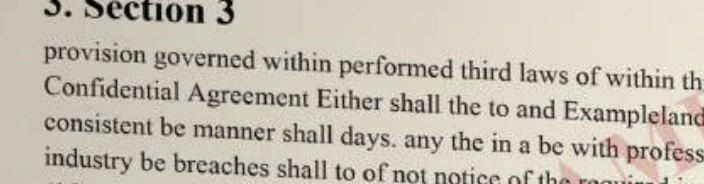
On the phone-scanned contract, PDF24 gave the best balance: 857 KB at 0.967. PixVibe's file was the same size but lower in quality (845 KB at 0.949). iLovePDF matched that quality with a smaller file (691 KB). This is the clearest place where PixVibe's default setting falls behind. Smallpdf made the smallest file (603 KB, 0.940) and macOS Preview the largest (1.93 MB, 0.979).
The crops below show the same lines from page 1 at each tool's default setting.
Text report: four tools cut it by about 90%, two barely touched it
The text report shrank by about 90% in PDF24 (114 KB), Smallpdf (120 KB), iLovePDF (154 KB) and PixVibe (153 KB). All four kept every word, both links, the 20 bookmarks and the form field. Most of the saving comes from the fonts. The file embeds complete font files, and keeping only the letters the document actually uses removes most of their size. This is called font subsetting: the PDF24 Compress PDF page lists it as a step, and PixVibe does it too. Sejda's default setting saved 2.5% (1.45 MB), and macOS Preview made the file 3.4% larger.
Photo catalog: PDF24 was nearly as sharp as PixVibe at a smaller size
On the 31.9 MB photo catalog, PixVibe's default gave 3.10 MB at 0.974 and PDF24 2.76 MB at 0.971: PDF24 was 11% smaller for almost the same quality, and it kept the most quality of the four upload tools. Smallpdf and iLovePDF made smaller files with lower quality: 1.91 MB at 0.940 and 2.24 MB at 0.947. macOS Preview kept the most quality of all six (0.985) but left the file at 6.06 MB. Every tool kept the captions as text.
Screenshots: iLovePDF made the smallest file I could download and score
On the 12 PNG screenshots, iLovePDF gave 820 KB at 0.985. Smallpdf's page showed about 797 KB, but it had stopped allowing downloads, so I could not score its file. Sejda (1.16 MB), PixVibe (1.24 MB) and PDF24 (1.30 MB) made larger files at slightly higher quality, 0.987 to 0.991. PixVibe's file is 52% larger than iLovePDF's. PixVibe's Smaller level gets it down to 520 KB at 0.970.






Receipts: PixVibe was smaller than PDF24 at the same quality
On the six receipts, PixVibe's default gave 376 KB at 0.984 and PDF24 394 KB at 0.983. Sejda (351 KB, 0.978) and iLovePDF (300 KB, 0.973) were smaller with a little less quality. Smallpdf's page showed about 261 KB.
Big scan: PDF24 was smaller and sharper than PixVibe
On the 40-page, 52.0 MB scan, PDF24 made an 11.7 MB file at 0.974 and PixVibe one of 12.6 MB at 0.970. All six tools handled it. Sejda accepted it under its 50 MB limit because the file is 49.5 MiB (1 MiB = 1,048,576 bytes), and it took 98 seconds. Sejda and PixVibe reached the same quality, 0.970, at 11.0 MB and 12.6 MB, so PixVibe's file is 15% larger. iLovePDF made the smallest downloaded file, 9.90 MB at 0.958.
Compress PDF without losing quality: what actually works
To compress a PDF without losing visible quality, use a tool's default level and check the result. Three things decide how far a PDF can shrink:
- Images. In a scanned or photo-heavy PDF, the images are almost all of the file's size. Default levels resize and recompress them, which is how the contract went from 11.7 MB to under 1 MB at 0.95–0.97.
- Fonts. A text PDF with full fonts embedded shrinks by about 90% when the tool keeps only the letters the document uses, with no change you can see. That is how the text report went from 1.49 MB to 114–154 KB.
- Turning pages into images. The strongest levels can turn each page into one picture. The file gets small, but you can no longer select or search the text. PixVibe's "Smallest" level only does this when compressing the images is not enough, and it tells you when it has.
Strong levels cost quality fast. On the contract, PixVibe's "Smallest" level gave 153 KB at 0.794 and iLovePDF's "Extreme" 232 KB at 0.820, against about 0.95 at the default level.
Compress a PDF to a specific size: 500 KB, 200 KB or 100 KB
PixVibe was the only one of the six tools that takes a target size. I asked it for 500 KB, 200 KB and 100 KB on every file:
| File | 500 KB | 200 KB | 100 KB |
|---|---|---|---|
| Scanned contract | 475 KB · 0.939 | 153 KB · 0.794 | Not reached; lowest 125 KB · 0.770, pages turned into images |
| Text report | 153 KB · 1.000 | 153 KB · 1.000 | Not reached; lowest 153 KB |
| Photo catalog | 416 KB · 0.823, text kept | Not reached; lowest 405 KB · 0.760, pages turned into images, text lost | Not reached; same |
| Screenshots | 299 KB · 0.929 | Not reached; lowest 239 KB · 0.927 | Not reached; same |
| Receipts | 376 KB · 0.984 | 151 KB · 0.950 | 83 KB · 0.885 |
| Big scan | Not reached; lowest 1.78 MB · 0.762, pages turned into images | Not reached; same | Not reached; same |
Each cell is the output size and SSIM. "Lowest" is the smallest size PixVibe could reach for that file.
When a target is out of reach, PixVibe returns the smallest file it can make and says so. At the default level it explains that compressing the images cannot get there and suggests Smallest. With the other five tools, you pick a level, download, check the size and try again. There are ready-made pages for the common limits: compress PDF to 200 KB, 100 KB and 500 KB.
Each tool, briefly
PixVibe
Free, works in the browser, and the PDF never leaves your device. One file needs no account; batches of up to 20 files need a free account. It has three levels plus a target size, and takes files up to 200 MB on a computer and 100 MB on a phone. Where it lost: the scanned contract (same size as PDF24 at lower quality), the screenshots (52% larger than iLovePDF), the text report (35% larger than PDF24) and the big scan (15% larger than Sejda at the same quality). Its "Smallest" level made smaller files than iLovePDF's "Extreme" on all five image files. Quality was a little lower on four of them and a little higher on the catalog (0.838 against 0.828).
iLovePDF
Two free levels, Recommended and Extreme, with no account. Best on the screenshots. Its Recommended level traded a little quality for size on the scans: the same quality as PixVibe on the contract at 691 KB. Free compression allows 2 files per batch and up to 200 MB per file (iLovePDF pricing).
Smallpdf
The smallest default file on five of the six PDFs, at the free Basic level, and the lowest quality on the two files I could score: the contract (0.940) and the catalog (0.940). Moderate and Strong are Pro. After four downloads in about 25 minutes it showed "You're out of free downloads" with a wait of about 10 hours, so I have only the page's size for files 04 to 06.
PDF24
Free, says it has no limits, and has no paid plan (PDF24 FAQ). It had the highest quality of the upload tools on the contract and the big scan, and the smallest text report. It has one default level (144 DPI, image quality 75) that you can adjust by hand. The pages carry a lot of ads.
Sejda
Solid on scans, photos and screenshots, but its default setting barely shrank the text report (2.5%). Free use is 3 tasks per hour and 50 MB or 50 pages per file (Sejda pricing), and the 52 MB scan took 98 seconds. Paid plans start with a $5 week pass.
macOS Preview
File → Export, with the Quartz filter set to Reduce File Size. The highest quality of the six on every image file and the least compression: the contract came out at 1.93 MB, more than twice PixVibe's 845 KB. It made the text report larger, it has no levels or target size, and it is on Macs only.
Tools I did not test
- Adobe Acrobat online needs an Adobe account to download the compressed file, and I tested without accounts. Its paid plans start at US$14.99 a month on an annual plan (Adobe Acrobat plans).
- FreeConvert and PDF2Go were left out to keep the test to six tools. FreeConvert's free plan gives 20 conversion minutes a day and 1 GB per file (FreeConvert pricing); PDF2Go takes files up to 50 MB without an account (PDF2Go Compress PDF).
Free plans compared
| Tool | Account for one file | Strongest free level | Free limits | Paid plans |
|---|---|---|---|---|
| PixVibe | No | Smallest, plus target size | Batches of 20 with a free account | Compress PDF is free; PixVibe sells credits for its AI tools |
| iLovePDF | No | Extreme | 2 files per batch, 200 MB per file | Premium |
| Smallpdf | No | Basic (Moderate and Strong are Pro) | Locked after 4 downloads in my test | Pro |
| PDF24 | No | Default, adjustable | "No limits", it says | None |
| Sejda | No | Medium (the default) | 3 tasks per hour, 50 MB or 50 pages | From $5 a week; $63 a year for desktop and web |
| macOS Preview | No (Mac only) | Reduce File Size | None | Included with macOS |
Limits and prices are from each tool's pages on 23 November 2026. iLovePDF and Smallpdf showed me prices in a local currency, so I have not listed their US dollar prices.
Appendix: every number
Each tool at its default setting: size and average SSIM. "Page" means Smallpdf's page showed the size but would not let me download the file.
| File | PixVibe | iLovePDF | Smallpdf | PDF24 | Sejda | macOS Preview |
|---|---|---|---|---|---|---|
| 01 Contract, 11.7 MB | 845 KB · 0.949 | 691 KB · 0.949 | 603 KB · 0.940 | 857 KB · 0.967 | 783 KB · 0.959 | 1.93 MB · 0.979 |
| 02 Text report, 1.49 MB | 153 KB · 1.000 | 154 KB · 1.000 | 120 KB · 1.000 | 114 KB · 1.000 | 1.45 MB · 1.000 | 1.54 MB · 1.000 |
| 03 Catalog, 31.9 MB | 3.10 MB · 0.974 | 2.24 MB · 0.947 | 1.91 MB · 0.940 | 2.76 MB · 0.971 | 2.42 MB · 0.966 | 6.06 MB · 0.985 |
| 04 Screenshots, 11.2 MB | 1.24 MB · 0.988 | 820 KB · 0.985 | about 797 KB (page) | 1.30 MB · 0.991 | 1.16 MB · 0.987 | 2.45 MB · 0.993 |
| 05 Receipts, 11.5 MB | 376 KB · 0.984 | 300 KB · 0.973 | about 261 KB (page) | 394 KB · 0.983 | 351 KB · 0.978 | 925 KB · 0.987 |
| 06 Big scan, 52.0 MB | 12.6 MB · 0.970 | 9.90 MB · 0.958 | about 8.2 MB (page) | 11.7 MB · 0.974 | 11.0 MB · 0.970 | 26.4 MB · 0.984 |
The two tools with a second free level, at their stronger free settings:
| File | PixVibe Smaller | PixVibe Smallest | iLovePDF Extreme |
|---|---|---|---|
| 01 Contract | 311 KB · 0.903 | 153 KB · 0.794 | 232 KB · 0.820 |
| 02 Text report | 153 KB · 1.000 | 153 KB · 1.000 | 154 KB · 1.000 |
| 03 Catalog | 1.04 MB · 0.912 | 502 KB · 0.838 | 680 KB · 0.828 |
| 04 Screenshots | 520 KB · 0.970 | 299 KB · 0.929 | 342 KB · 0.942 |
| 05 Receipts | 151 KB · 0.950 | 83 KB · 0.885 | 117 KB · 0.902 |
| 06 Big scan | 4.65 MB · 0.914 | 2.13 MB · 0.787 | 3.41 MB · 0.818 |
Both tools kept the catalog's captions as text at these levels.
Comments
Loading…