Resize Image for Instagram keeps the whole picture in the post. The page opens set to 1080 × 1440 pixels as a JPG. 1080 × 1440 is 3:4, the tallest shape Instagram has allowed since 2025, according to its help page; the limit used to be 4:5 (1080 × 1350). Anything that doesn't fit 3:4 is scaled to fit, whole, and centered, and the leftover space is filled with white, so Instagram has nothing left to crop. A vertical phone photo, which is already 3:4, fills the frame with no bars at all. If you post through a scheduling tool, check whether it takes 3:4: Meta's publishing API reference still lists 4:5 as the tallest shape, and if your tool holds you to that, change the height to 1350. The resizing happens on your device, inside the browser; the picture isn't sent anywhere.
WHY USE IT
Features
1080 × 1440 JPG with white bars, ready when you open it
"Resize by" is set to "Size", 1080 wide by 1440 high, with "Lock aspect ratio" off. "Fit" is "Fit & pad white", "Output format" is JPG, and "Quality" is 90. Your first picture is processed as soon as you add it; after changing a setting, press "Re-run".
Set to 3:4, Instagram's limit since 2025
Instagram's help page gives the supported range as 1.91:1 to 3:4, which at 1080 pixels wide means heights from 566 to 1440. An archived copy from April 2025 still said 4:5 and 1350. The page doesn't say when it changed, but an archived copy from September 2025 already shows 3:4.
One number to change if your scheduler stops at 4:5
Meta's publishing API reference accepts only JPGs up to 8 MB, with aspect ratios between 4:5 and 1.91:1. If your scheduling tool sticks to that range, type 1350 in "Height (px)" and press "Re-run" for a 1080 × 1350 file. Our vertical test photo then gets two thin white bars, 33 and 34 pixels wide.
File sizes well under 8 MB
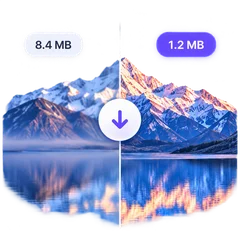
Meta's API caps images at 8 MB. Across all our runs, from 1080 × 1350 to 1080 × 1920, the largest file was 657.2 KB, a 1080 × 1920 story made from a 12 MP photo. The same photo at 1080 × 1440 was 648.5 KB, and a phone screenshot came out at 103.5 KB.
OUR TEST
Six pictures resized to 1080 × 1440 on 23 November 2026 ("Fit & pad white", JPG, quality 90)
16:9 frame cut from the building-site photo (JPG 4032 × 2268, 4.03 MB)
1080 × 608
416 px top and bottom
269.3 KB
the whole picture
4:1 strip cut from the same photo (JPG 4032 × 1008, 2.08 MB)
1080 × 270
585 px top and bottom
156.1 KB
48% of its width
Small square (JPG 640 × 640, 211.1 KB)
1080 × 1080, enlarged 1.7×
180 px top and bottom
437.8 KB
the whole picture, 640 px wide
WHAT IT'S FOR
Use cases
A screenshot or a long vertical graphic
A phone screenshot is far narrower than 3:4. If you post it as is, Instagram crops it to 3:4, and our 1179 × 2556 test screenshot would lose more than a third of its height. Here it becomes a 664 × 1440 image centered on white, with every line of text still in the post.
A wide shot or a panorama
Instagram's widest shape is 1.91:1. Post a 4:1 strip unchanged and Instagram keeps only 48% of its width; resized here, it becomes 1080 × 270 with white above and below. A 16:9 or 4:3 photo is already inside the range, so for those you can switch "Fit" to "Fit inside" and get 1080 × 608 or 1080 × 810 with no bars.
Posts queued in a scheduling app
Scheduling tools don't all agree on the tallest shape they accept (more on that below). If yours rejects a 3:4 picture or turns it into a reminder, set the height to 1350 before you download, and keep JPG, the only format Meta's API reference lists. If you post straight from the Instagram app, 1440 is fine.
HOW IT WORKS
How to resize an image for Instagram
01
Add your picture
You can add JPG, PNG, WebP, HEIC, AVIF, TIFF, BMP, and TGA files, including iPhone photos. The 1080 × 1440 JPG is ready right away. Resizing a single picture needs no account; signing in for free lets you do 20 at a time.
02
Check the result line
The line under the result shows 1080×1440px, JPG, and the file size. When getting there meant enlarging the picture, it also shows the factor, for example 1.7×.
03
Change the size if you need to, then download
Type 1350 in "Height (px)" if your scheduling tool stops at 4:5, 1080 for a square, or 1920 for a story. Press "Re-run" to apply the change, then download the JPG.
Instagram photo size in 2026: what Instagram's help page says
Instagram's help page, "Image resolution of photos you share on Instagram," says: "When you share a photo that has a width between 320 and 1080 pixels, we keep that photo at its original resolution as long as the photo's aspect ratio is between 1.91:1 and 3:4 (a width of 1080 pixels with a height between 566 and 1440 pixels). If the aspect ratio of your photo isn't supported, it will be cropped to fit a supported ratio." Photos more than 1080 pixels wide are scaled down to 1080, and photos under 320 pixels wide are enlarged to 320. We read the page in English, Chinese, Spanish, and Portuguese on 23 November 2026, and all four versions give the same numbers.
The 3:4 limit is fairly new. The copy saved by the Internet Archive on 27 April 2025 gave the range as "between 1.91:1 and 4:5 (a height between 566 and 1350 pixels with a width of 1080 pixels)". The copy from 14 September 2025 already reads 3:4 and 1440. The page itself carries no date, so all we can say is that it changed between those two copies. 1080 × 1350 still posts fine; it just isn't the tallest size anymore.
By the current help page, then, the tallest picture Instagram keeps uncropped is 1080 × 1440, and the widest is 1080 × 566. Any picture between those two shapes goes up whole. A vertical phone photo is 3:4 to begin with, so it fits exactly. Under the old 4:5 limit, Instagram trimmed 6.25% off its height.
Scheduling tools: when to use 4:5 (1080 × 1350)
When a scheduling app publishes a post for you, it doesn't use the Instagram app; it posts through Meta's Instagram API. The API's IG User Media reference lists its own image rules, with widths from 320 to 1440 pixels: "Format: JPEG", "File size: 8 MB maximum." and "Aspect ratio: Must be within a 4:5 to 1.91:1 range". By that reference, the API stops at 4:5 and takes JPG only, so a 3:4 picture is outside its range. We read the reference on 23 November 2026.
The scheduling tools' own help pages don't line up with it, or with each other. Later's says it follows Instagram's API requirements, and to "Does Later support 3:4 format for Instagram?" it answers "Yes." Buffer's aspect ratio page lists images as "Between 3:4 and 1.91:1", while its page on automatic posting, last updated 12 November 2026, gives "Between 4:5 and 1.91:1". Instead of publishing a post themselves, both tools can send you a reminder to finish it in the Instagram app (Buffer calls this notification publishing; Later calls it Send Notification), and Buffer says a picture outside its accepted range is scheduled that way. A post you finish in the Instagram app gets the app's 3:4 limit. We read these pages on 23 November 2026.
If your tool rejects a 3:4 picture or switches it to a reminder, or you want a size inside Meta's published range whichever tool you use, type 1350 in "Height (px)" and press "Re-run", or switch "Resize by" to "Preset" and pick "1080 × 1350 · Instagram Portrait". Our 3024 × 4032 papaya photo then became a 1013 × 1350 picture with white bars of 33 and 34 pixels at the sides (601.0 KB). The building-site photo kept 1080 × 810 with 270 pixels of white above and below (341.3 KB), and the phone screenshot shrank to 623 × 1350 (98.2 KB). Leave "Output format" on JPG.
Meta's JPEG-only rule is also why this page outputs JPG even when you add a PNG or an iPhone HEIC; the Instagram app takes JPG too. At 1080 pixels wide the files stay small; our test results ran from 98.2 KB to 657.2 KB, nowhere near 8 MB.
Resize image for Instagram without cropping: six test pictures
"Fit & pad white" scales the picture until all of it fits inside 1080 × 1440, puts it in the middle, and fills the rest with white. The table above shows what that did to six pictures. The upright papaya photo is 3:4, so it came out as exactly 1080 × 1440 with no white at all. The 4:3 building-site photo became 1080 × 810 with 315 pixels of white above and below. The 1179 × 2556 phone screenshot became 664 × 1440, with 208 pixels on each side.
The table's last column, what Instagram keeps if you post unchanged, shows why resizing is worth doing. Instagram crops any picture that falls outside the 1.91:1 to 3:4 range. Posted unchanged, our screenshot would be cropped to a 1179 × 1572 area, 62% of its height, and then scaled to 1080 × 1440; the 4:1 strip would keep only 48% of its width. Both arrive whole after resizing here, with white bars beside or around them.
The bars are always white, and a landscape photo doesn't need them: 4:3 and 16:9 pictures are already inside Instagram's range. For those, choose "Fit inside" under "Fit" and you get 1080 × 810 or 1080 × 608 with nothing added. If you would rather fill the frame and lose some edges, "Crop to fill" cuts from the center; to pick the part to keep yourself, use Crop Image with the 3:4 or 4:5 ratio.
Test setup: an Apple M4 Mac mini running Chromium 149. From adding a file to seeing the result took about 3.5 to 5 seconds per picture; the building-site photo saved as a 2.61 MB HEIC took about 9 and gave the same 1080 × 810 picture (330.0 KB). The two photos are CC0 from Wikimedia Commons (building site, papayas). The papaya photo is 4032 × 3024 on Commons; we rotated it 90° and resaved it to get the upright test picture. The 16:9 and 4:1 pictures are cut from the building-site photo and the small square from the papaya photo; the screenshot is of a PixVibe page on a phone. KB here means 1,000 bytes and MB 1,000,000 bytes, and sizes are rounded up the same way the result line rounds them.
Small photos, stories, and squares
Instagram doesn't enlarge a photo unless it is narrower than 320 pixels; anything from 320 to 1080 wide stays at its own size. This page works differently: its target is 1080 wide, so a smaller picture is stretched to reach it. Our 640 × 640 square was enlarged 1.7× to 1080 × 1080 and placed inside the 1080 × 1440 frame. The result line said so. The file grew from 211.1 KB to 437.8 KB, but stretching invents no new detail. If your picture is between 320 and 1080 pixels wide and already in the 1.91:1 to 3:4 range, you can post it without resizing. If you want it genuinely sharper, run it through the AI Upscaler first.
For a story, type 1920 in "Height (px)". Meta's API documentation recommends 9:16 for story images "to avoid cropping or blank space"; at 1080 pixels wide, the width Instagram uses for photos, that works out to 1080 × 1920. Our upright photo then sat in the middle with 240 pixels of white above and below (657.2 KB). For a square post, set both width and height to 1080; the small square then filled it with no bars (425.1 KB). Both sizes are also in the "Preset" list under "Resize by".
FAQ
Frequently asked questions
Instagram's help page says photos keep their original resolution when they are 320 to 1080 pixels wide and have an aspect ratio between 1.91:1 and 3:4. At 1080 wide that means heights from 566 to 1440, so 1080 × 1440 is the tallest and 1080 × 566 the widest. Photos more than 1080 pixels wide are scaled down to 1080.
It still works, and it's the safe choice for scheduling tools: Meta's publishing API reference lists aspect ratios from 4:5 to 1.91:1 only, though some tools' help pages now say they take 3:4. If you post from the Instagram app, you can go up to 3:4 (1080 × 1440); Instagram's help page has listed that limit since 2025.
Instagram crops anything outside the 1.91:1 to 3:4 range, such as screenshots and panoramas. Resizing here fits the whole picture into 1080 × 1440 and fills the gap with white, so nothing is cut off. A 3:4 or 4:3 photo would post uncropped anyway.
For pictures already inside Instagram's range, yes: choose "Fit inside" under "Fit". A 4:3 photo then comes out at 1080 × 810 with no bars. For a screenshot or panorama, the choice is bars or a crop; "Crop to fill" cuts from the center. The bars can't be changed to another color.
Meta's publishing API accepts JPG only, and the Instagram app takes JPG as well, so JPG works whichever way you post. iPhone HEIC photos are converted too. You can still pick PNG under "Output format".
Meta's API documentation recommends 9:16 for story images; at 1080 pixels wide, the width Instagram uses for photos, that's 1080 × 1920. Type 1920 in "Height (px)" and press "Re-run", or choose the Story size in the "Preset" list.
No. The resizing runs in your browser on your own device, so PixVibe's servers never receive the picture. No sign-in is needed for one picture at a time.